
How to Find Business Email Addresses for Key Decision-Makers (2026 Guide)
 Rajesh
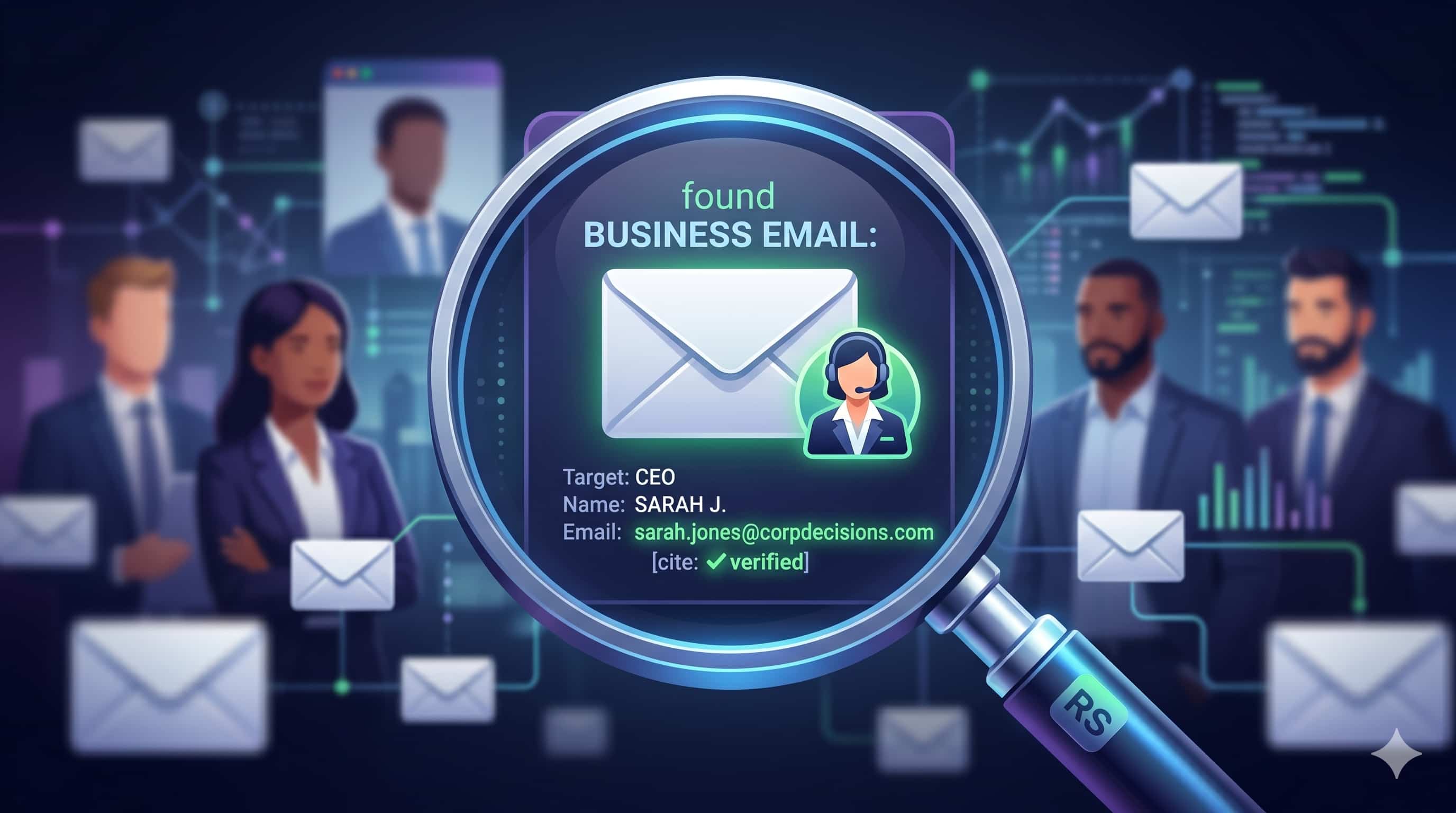
How to Find Business Email Addresses to Boost B2B Sales (Complete Guide)
Every successful B2B outreach campaign starts with one critical asset: a highly targeted, accurate list of contacts. However, finding the exact email addresses for high-level decision-makers isn't always straightforward. Searching through hundreds of websites manually is a drain on your resources, and relying on outdated generic databases will stall your sales velocity.
If you want to build a scalable, predictable pipeline, you need to know how to pinpoint the exact individuals who hold the purchasing power. In this guide, we will break down the most effective methods to find business email addresses, moving from manual detective work to sophisticated, automated algorithms.
The Importance of Reaching the Right Inbox
Proactive outbound lead generation is what allows businesses to scale predictably. When you find the direct email of a specific target, you secure direct access to decision-makers. This allows you to bypass gatekeepers and place your pitch directly in the inbox of the person who actually matters.
Furthermore, doing this research allows for niche targeting. You have complete control over who you target, allowing you to build highly relevant segments rather than blasting generic "info@" or "support@" inboxes, which rarely results in closed deals.
Manual Methods to Find Business Emails
If you are only looking for a handful of prospects, manual extraction might be sufficient.
Use Google Dorks
Advanced search operators can force Google to reveal hidden emails. For example, searching "@company.com" + "contact" or "site:company.com + @company.com" can uncover emails listed deep within a site's PDF documents or press releases.
Guessing and Pinging
If you know the person's name and the company domain, you can guess standard formats (e.g., first.last@company.com) and test them in Gmail to see if a Google Workspace profile populates.
Automated Solutions: Using a Business Email Finder
For any serious lead generation effort, manual methods are entirely unscalable. Relying on guesswork for hundreds of leads will waste your team's bandwidth.
This is where specialized tools excel. A business email finder typically uses a database and algorithms to predict a decision-maker's email based on their name and company domain, even if it isn't publicly listed on the site. By inputting your ideal customer's name and company into a platform like the RS Business Email Finder, the software cross-references naming conventions and domain configurations to instantly return the correct contact detail.
The Extractor vs. Finder Distinction
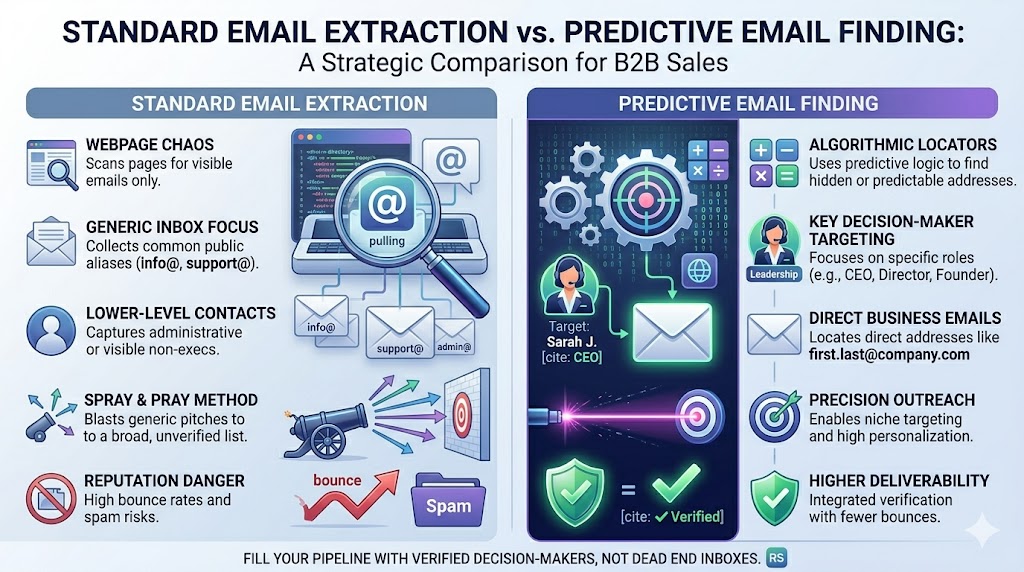
It is important to understand the tools in your arsenal:
- Email Extractor: An extractor scrapes existing, publicly visible emails directly from a webpage's code. Tools like the RS Lead Extractor Ultimate are built specifically for this purpose when scanning directories.
- Email Finder: A finder relies on predictive logic to locate an email for a specific individual, even if that email has never been published publicly online.
Best Practices for B2B Outreach
✔ Best Practices
Before sending a single pitch, you must clean your list. Using a tool like the RS Email Verifier helps verify and clean email lists, reduce bounce rates, and improve email deliverability.
An email alone isn't enough for a highly personalized pitch. Combine the email with the prospect's name, job title, and company size to create compelling messaging.
Always ensure your cold outreach complies with local regulations, such as CAN-SPAM in the US or GDPR in Europe. Always provide a clear way to opt-out of communications.
FAQs about Finding Business Emails
Q: Can I just buy a list of business emails?
A: While possible, buying pre-made lists often results in high bounce rates and damaged sender reputations because the data decays rapidly. Finding and extracting fresh leads is much safer.
Q: What is the difference between an email extractor and an email finder?
A: An extractor scrapes existing, publicly visible emails directly from a webpage's code. A business email finder typically uses a database and algorithms to predict a decision-maker's email based on their name and company domain, even if it isn't publicly listed on the site.
Q: Do I still need to verify emails generated by a finder tool?
A: Yes. People change jobs and companies shut down. Always verify your lists right before launching your campaign to protect your sender reputation.
Conclusion
Finding the right business email addresses transforms outbound sales from a guessing game into a predictable science. By moving away from manual data entry and leveraging intelligent software, you can fill your pipeline with highly targeted, relevant leads on demand.
Successful outreach requires having the right contact, ensuring the data is clean, and sending a tailored message. If you want to bypass gatekeepers and start connecting with real decision-makers today, implement a dedicated tool like the RS Business Email Finder to streamline your prospecting workflow.
Ready to Scale Your Email Marketing?
If you are ready to scale your lead generation, explore tools designed to streamline the entire process from extraction to verification. Try RS Business Email Finder and RS Email Verifier today.